Automatic monitoring
Choose one or more folders once. New screenshots appear in your library as soon as they finish saving.
Shotrove turns a messy screenshot folder into a clear, searchable library—with on-device OCR, meaningful names, smart tags, and safe duplicate cleanup.

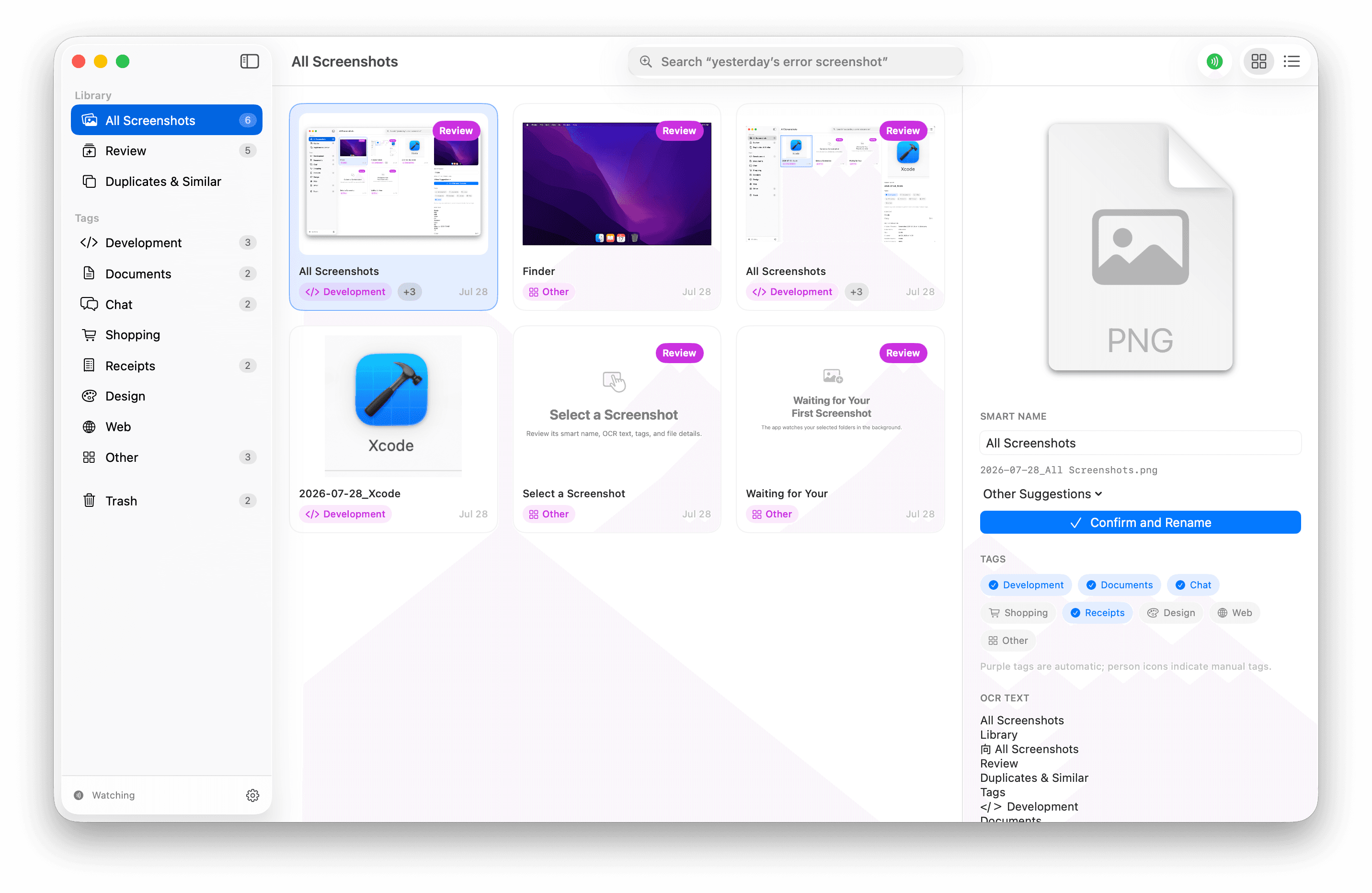
Every core tool is designed to help you find things faster without taking control away from you.
Choose one or more folders once. New screenshots appear in your library as soon as they finish saving.
Recognize Chinese and English text, then review clear filename suggestions before anything changes in Finder.
Find “yesterday’s error screenshot” or “shopping refund” across titles, OCR text, tags, and local semantic indexes.
Development, documents, chat, shopping, receipts, design, and web—all organized automatically and still editable.
Compare exact duplicates and visually similar images side by side before choosing what to keep.
Renames wait for your confirmation. Removed files go to the macOS Trash, with persistent undo and recovery support.
Shotrove uses Apple’s on-device frameworks for OCR and language processing. Screenshot contents, filenames, OCR text, and search indexes are never uploaded by Shotrove.
One small purchase. No subscription, no account, and no cloud bill hiding behind the scenes.
Secure checkout powered by Paddle.
No. OCR, search, tagging, and similarity detection run locally on your Mac.
No. Suggested names are applied only after you review and confirm them.
Shotrove moves it to the macOS Trash. It never permanently deletes files automatically.
Shotrove requires macOS 14 or later.